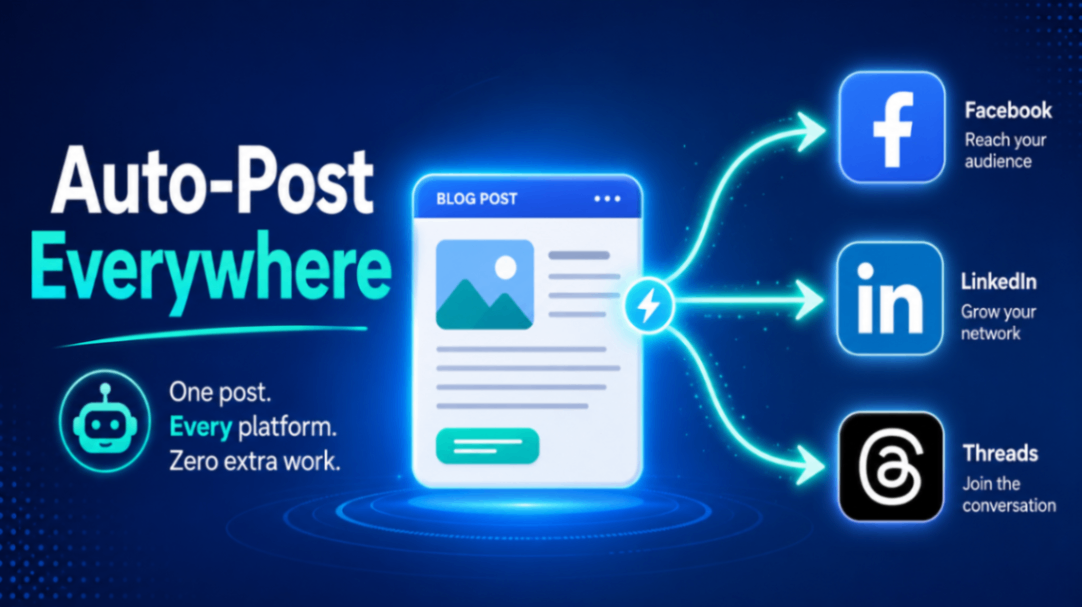
Publishing a blog post is only half the job. If nobody sees it, it may as well not exist. The obvious fix is to share every new post to your social channels — but doing that by hand, every time, across three or four platforms, gets old fast. The good news is you can automate blog content posting to social media using RSS feeds and a handful of APIs, so a fresh post lands on Facebook, LinkedIn, and Threads within minutes of going live. The tricky part is choosing between an off-the-shelf tool and building the automation yourself — and there are real, money-and-maintenance trade-offs that most tutorials gloss over.
This guide walks through both routes honestly, including the platform quirks that quietly break automations, so you can pick the approach that actually fits your budget and patience.
Why RSS Is the Backbone of Blog Automation
Nearly every blogging platform — WordPress, Ghost, Squarespace, Blogger — publishes an RSS or Atom feed automatically. That feed is a machine-readable list of your latest posts: title, link, description, publish date. It's the perfect trigger. When a new item appears in your feed, an automation can grab it and push it out to your social accounts.
This matters because it means you don't need to touch your publishing workflow at all. You keep writing and hitting "Publish" exactly like you do now. The feed does the noticing; the automation does the posting.
So the real decision isn't whether to use RSS — it's what listens to that feed and posts on your behalf.
Option 1: RSS + No-Code Tools (Zapier, Make, IFTTT)
The fastest way to get started is a no-code automation platform. The pattern is always the same:
- Trigger: "New item in RSS feed."
- Action: "Create a post on Facebook Page / LinkedIn / Threads."
You paste in your feed URL, connect your social accounts, write a template caption (something like New on the blog: {{title}} {{link}}), and turn it on. No code, no server, live in under an hour.
Where it shines: speed, zero maintenance on your end, and a friendly interface for editing captions or adding filters (for example, only post articles from a specific category).
Where it bites you: cost, and it scales the wrong way. These tools bill by task, and every action counts. If one blog post fans out to Facebook, LinkedIn, and Threads, that's three tasks — plus the trigger check. Publish a few times a week and add a second blog, and you can blow through a free or entry-level plan surprisingly fast. Once you're on a paid tier purely to cover social sharing, the "cheap" option isn't so cheap anymore.
There's also a control ceiling. You get the caption fields the tool exposes and nothing more. Want a different message per platform, a specific image crop, or hashtags only on Threads? You'll fight the interface, and sometimes it simply can't do it.
Option 2: Building It Yourself with Direct APIs
The alternative is a small script — running on a cron schedule or a serverless function — that reads your RSS feed, checks whether each post has already been shared, and calls each platform's API directly.
Where it shines: it's essentially free to run, you control the caption per platform down to the character, and there are no per-task fees no matter how often you publish. Once it's built, it just works.
Where it bites you: you own the maintenance. And each platform has its own authentication personality that you have to respect, because this is exactly where DIY automations silently die:
- Facebook Page tokens are permanent. Once you generate a long-lived Page access token correctly, it doesn't expire. Set it once, forget it.
- Threads tokens auto-refresh. As long as your automation keeps using the token, it renews itself in the background. Low-maintenance, but only if the automation runs regularly.
- LinkedIn tokens expire every 60 days. This is the classic gotcha. Your automation works beautifully for two months, then goes dead with no warning. You need a refresh strategy — either a scheduled token refresh call or a reminder to regenerate — baked in from day one.
Miss that LinkedIn detail and you'll discover it only when you notice a suspiciously quiet feed weeks later.
The X (Twitter) Problem Nobody Mentions Up Front
If you're wondering why this article covers Facebook, LinkedIn, and Threads but not X — that's deliberate, and it's the single biggest change in this space.
X's API now charges roughly $0.20 per post that contains a link on the tiers most small publishers can access. Since the entire point of blog automation is to post links, that turns a "free" auto-share into a metered expense that adds up quickly. As a result, many popular RSS-to-social tools quietly dropped X support or pushed it behind higher plans. If a tool still advertises seamless free X posting, read the fine print carefully — the economics changed underneath everyone. For most bloggers, Threads has effectively become the practical replacement for that short-form, link-sharing slot.
Which Route Should You Choose?
Here's the honest decision framework:
Choose a no-code RSS tool if you publish infrequently, want it running today, and don't want to think about tokens or servers ever again. The monthly fee buys you peace of mind, and for a light publishing schedule it may stay within a cheap tier indefinitely.
Build it yourself if you publish often, run multiple blogs, want platform-specific captions, or simply don't want a recurring bill that grows with your output. The upfront effort pays off through near-zero running costs and full control — as long as you handle LinkedIn's 60-day token refresh.
A middle path exists too: use a no-code tool as a stopgap while you validate that automated sharing actually drives traffic, then graduate to a custom script once the volume (and the invoice) justifies it.
Key Takeaways
- RSS is the trigger for both approaches — your publishing habits don't need to change.
- No-code tools are fast to set up but bill per task, so costs climb with your posting frequency and number of platforms.
- Direct APIs cost almost nothing to run and give total control, but you own the maintenance.
- Token behavior differs wildly: Facebook Page tokens are permanent, Threads tokens auto-refresh, and LinkedIn tokens expire every 60 days — plan for that refresh.
- X is now pay-to-post for links (~$0.20 each), which is why most automations skip it and lean on Threads instead.
Setting this up well — especially the token refresh logic and per-platform captions — is fiddly, and it's easy to get a version that "works" until it silently stops. If you'd rather have a reliable, hands-off automation without babysitting API tokens, this is exactly the kind of setup I build for clients. Reach out and I'll get your blog posting itself to every channel that matters.