
For most local businesses, the stretch from Black Friday through New Year's is the biggest sales window of the year — and the worst time to discover your website is slow, confusing, or broken. Every friction point costs you more in December than in any other month. Run through these nine checks now. Most take under an hour, and each one you fix goes straight to your bottom line. Do it this week, not the week of Black Friday — developers, designers, and your own schedule all get worse under a deadline.
1. Does your site load in under 3 seconds?
Holiday shoppers are impatient shoppers. Test your homepage and your top product or booking page on your phone, on cellular data — not your office wifi. If it drags, the usual culprits are oversized images and too many plugins or scripts. Compress the images, cut what you don't need, and retest. Speed is the cheapest conversion boost there is.
2. Is your holiday offer on the homepage?
Don't make visitors hunt for it. Whatever you're pushing this season — a sale, a gift guide, holiday booking slots, a limited menu — it belongs above the fold on your homepage, in the first thing people see. One clear headline, one clear button. If your homepage still shows your summer messaging, that's this weekend's job. Pair it with a matching Google Business Profile post pointing at the same offer — holiday searchers often see your profile before they ever reach your site, and a stale profile with a great homepage is a mismatch that costs clicks.
3. Can customers buy or book in three clicks or fewer?
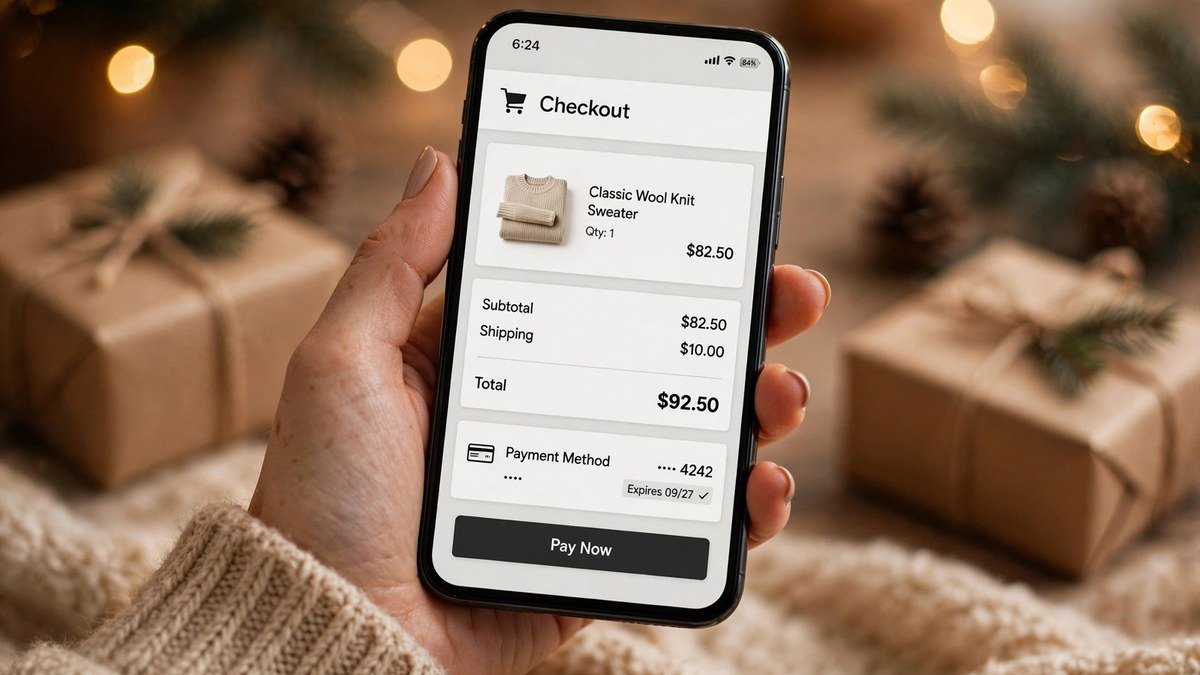
Count the clicks from your homepage to a completed purchase or booking. Every extra step — account creation, surprise forms, a checkout that times out — is a percentage of customers walking away. Guest checkout, autofill-friendly forms, and a booking flow that works one-handed on a phone. Test it yourself, as a customer, before your customers do. Bonus points for order or booking confirmations by text — during the holidays, "where's my stuff" support tickets spike, and proactive updates quietly delete half of them.
4. Are your holiday hours posted everywhere?
Your website, your Google Business Profile, your social profiles — all three, all matching. Nothing torpedoes holiday goodwill like a customer driving over because Google said you were open. Update them now, and set a reminder to change them back in January.
5. Does everything work perfectly on phones?
Holiday traffic is mobile traffic: gift research on the couch, "open now near me" from the car. Open every key page on your own phone. Can you read everything without pinching? Do buttons work with a thumb? Does the menu behave? If your developer only ever showed you the desktop version, now's the time to look at what your customers actually see. Pay special attention to your menu and footer on mobile — holiday visitors navigate differently, hunting for shipping deadlines, return policies, and gift options. If those pages are buried three taps deep, surface them for the season.
6. Are you capturing emails at checkout?
Not everyone buys on the first visit — especially gift shoppers comparing options. An email capture at checkout or booking (with a small incentive, like 10% off or a holiday guide) turns December browsers into January buyers. If you're not collecting emails by now, you're renting this season's traffic instead of keeping it. Segment that list from day one: holiday buyers versus year-round customers. Next November, that segmented list is the cheapest marketing you'll ever run.
7. Is your Google Business Profile updated for the holidays?
Fresh holiday photos, holiday hours, a post about your seasonal offer, and a reply to every recent review. The map pack is where "near me" holiday searches get answered, and a neglected profile hands those customers to the competitor who bothered. Thirty minutes, once.
8. Running holiday ads? Fix the site first.
Every dollar of holiday ad spend lands on your website. If the site is slow, confusing, or doesn't work on phones, you're paying to disappoint people at scale. I wrote the longer version of this argument here: why your website should come before paid ads. Fix the foundation this week; then pour fuel on it.
9. Do you know which pages are actually working?
Open your analytics and look at the last 30 days: which pages get traffic, where people drop off, what the top exit pages are. You don't need a dashboard obsession — just one look, so you're fixing the pages that matter instead of guessing. If you don't have analytics installed at all, that's checklist item zero.
What should I do on January 2nd?
Two things. First, revert the seasonal stuff: take down the holiday banners, restore normal hours everywhere, and archive — don't delete — the holiday pages. Next November you'll thank yourself. Second, look at what the holidays taught you: which pages converted, where mobile stumbled, what people searched for. Write it down somewhere you'll actually find it in October. Holiday prep is a flywheel; every year it should take less time, because last year's notes do half the work.
Want a second pair of eyes?
If you'd rather have someone else spot the gaps: I'm offering a free holiday readiness review for local businesses — I'll go through your site against this checklist and send you the three highest-impact fixes, no pitch attached. Request your free review here.