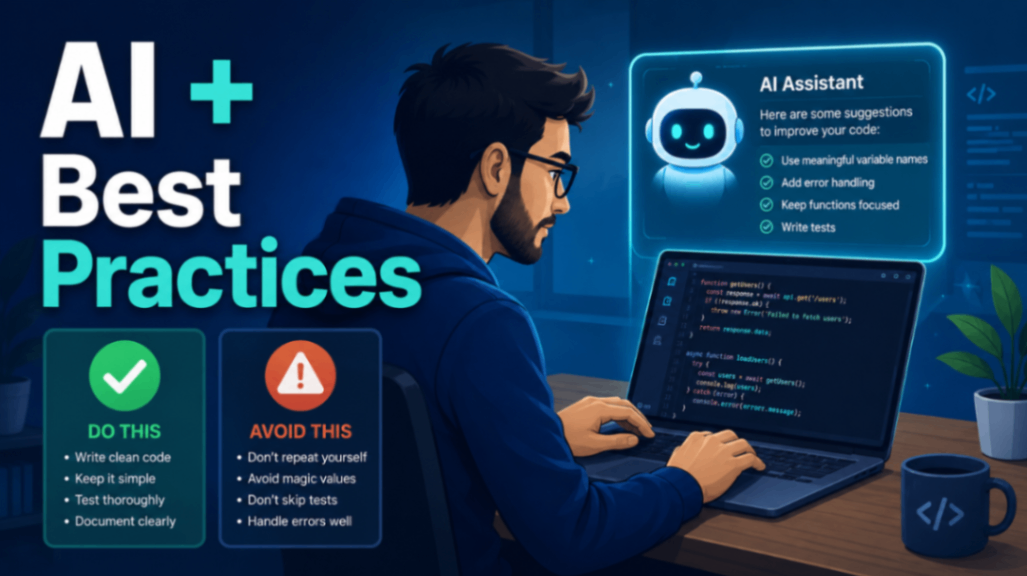
AI tools have quietly become part of most developers' daily workflow — autocompleting functions, explaining error messages, and drafting boilerplate in seconds. Used well, they can also be a fast, patient teacher for web development best practices: accessibility, security, performance, and clean architecture. Used carelessly, they'll confidently hand you outdated advice or subtly broken code. This guide is about getting the first outcome and avoiding the second, whether you're on a product team or freelancing solo.
Why AI Is Actually Good at Teaching Best Practices
Best practices are, by definition, well-documented and widely discussed. That's exactly the kind of material large language models have absorbed a lot of. Ask an AI why you should hash passwords instead of storing them in plaintext, or why semantic HTML matters for screen readers, and you'll usually get a solid, well-organized explanation faster than searching through a dozen tabs.
The real strength is interactivity. Instead of reading a static article, you can ask follow-up questions:
- "Show me the same example using
async/awaitinstead of promise chains." - "What could go wrong with this approach in production?"
- "Explain this like I've never used TypeScript before."
That back-and-forth is where the learning happens. You can paste your own code and ask, "Does this follow accessibility guidelines?" and get feedback tailored to what you actually wrote — something a generic tutorial can't do.
Be Skeptical: AI Confidently States Things That Aren't True
Here's the part too many developers skip. AI models generate plausible-sounding text; they do not know whether that text is correct. They can invent function names, cite APIs that were deprecated three versions ago, or recommend a "best practice" that stopped being one years ago. Worse, they present all of it with the same confident tone.
Treat every answer as a knowledgeable coworker's first draft, not gospel. A few habits that keep you safe:
- Verify against primary sources. For anything that matters — security, browser APIs, framework behavior — check the official docs, MDN, or the actual project repository. If the AI mentions a specific method, confirm it exists.
- Watch for version drift. Ask which version its advice applies to, then compare with what you're running. JavaScript, React, and CSS all move fast enough that "correct in 2021" can be "wrong today."
- Prefer explanations you can test. If the AI claims an approach is faster or more secure, ask why, then run a benchmark or a quick test. Reasoning you can reproduce beats an assertion you can't.
- Cross-check contested topics. For anything with genuine debate — state management, CSS methodology, folder structure — get the AI to lay out trade-offs rather than declare one winner.
The goal isn't to distrust the tool. It's to use it the way you'd use a smart Stack Overflow answer: helpful, worth reading, but not automatically right.
Practical Ways to Use AI for Better Code
Once you've internalized the skepticism, the tool becomes genuinely powerful. Some of the highest-value uses:
Code review on demand. Paste a function and ask specifically: "Review this for security issues, then for readability." Narrow prompts get sharper answers than "is this good?" Ask it to flag potential XSS, unvalidated input, or missing error handling.
Explaining unfamiliar code. Inherited a legacy codebase as a freelancer? AI is excellent at summarizing what a tangled function does — just verify its summary matches the actual behavior before you rely on it.
Refactoring suggestions. Ask for alternatives, not just fixes: "Show me three ways to structure this, with the trade-offs of each." You stay the decision-maker.
Writing tests. AI is good at generating test cases you might forget — edge cases, empty inputs, boundary values. Read them; sometimes it tests the wrong thing, but it often surfaces a scenario you hadn't considered.
Accessibility and semantics. Ask it to convert div soup into semantic HTML, add appropriate ARIA attributes, or check color-contrast reasoning. Then validate with a real tool like a Lighthouse audit or a screen reader.
Prompts That Encourage Best Practices
The quality of what you get out depends heavily on what you put in. Vague prompts produce vague, generic code. Try being explicit about the standards you care about:
- "Write this with input validation and error handling included."
- "Follow accessibility guidelines and explain each choice."
- "Use modern, non-deprecated APIs only, and tell me which version they require."
- "Optimize for readability over cleverness."
- "Point out anything here that could be a security or performance risk."
You can also ask the AI to critique itself: "What are the weaknesses of the solution you just gave me?" It will frequently find real problems in its own output — a cheap and effective sanity check.
Learning, Not Just Copy-Pasting
The biggest long-term risk of AI-assisted development is skill atrophy. If you paste code without understanding it, you're building a codebase you can't debug and a career that stalls. Flip that around: use AI as a study partner.
When it gives you a solution, ask it to explain the reasoning behind each part. Try to predict what it will suggest before you ask. Rebuild the answer from memory afterward. For freelancers especially, deep understanding is what lets you confidently quote work, explain decisions to clients, and fix things when they break at 11 p.m. — none of which a copy-paste habit supports.
A good rule: never commit code you couldn't explain to another developer. If the AI wrote something you don't understand, that's the moment to ask "why," not the moment to move on.
Key Takeaways
- AI is a fast, interactive teacher for web development best practices — accessibility, security, performance, and clean structure.
- It is confidently wrong often enough that you must verify important claims against official docs and real tests.
- Watch for outdated advice and hallucinated APIs; ask what version any recommendation applies to.
- Use targeted prompts ("review for security," "use non-deprecated APIs," "explain the trade-offs") to get higher-quality output.
- Ask the AI to critique its own answers — it catches real flaws.
- Learn the reasoning, don't just paste the result. Never ship code you can't explain.
Used with a healthy dose of skepticism, AI can meaningfully raise the quality of your work and accelerate how fast you learn. The tool is powerful; your judgment is what makes it reliable.